Restaurant Menu Design Guide
Table of Contents
How to design a menu that increases average check size, highlights your most profitable items, and reduces decision fatigue
Your menu is the single most important sales tool in your restaurant. Research shows that 71% of guests make ordering decisions based on menu design, and items with descriptive labels significantly outsell items with plain names. Strategic menu engineering - where you place items, how you describe them, what you photograph, and how you price them - can lift profits 10-15% without adding a single new customer. This guide covers how to build a menu that drives profitability through layout, language, pricing psychology, food photography, and digital optimization, whether you are designing your first menu or redesigning an existing one.
Your menu does more than list what you serve - it shapes what guests order, how much they spend, and whether they come back. A well-designed menu guides customers toward your most profitable items, reduces the friction of choosing, and communicates the quality and personality of your restaurant before the first bite arrives.
Most restaurants treat their menu as an afterthought - a document that gets updated when prices change or items rotate. But the data tells a different story. Menu engineering research consistently shows that strategic changes to layout, descriptions, and pricing can increase revenue per guest by 10-15% without any change to food quality, staffing, or marketing spend. That makes your menu the highest-ROI investment in your operation.
This guide covers the full process: understanding menu engineering principles, designing layouts that direct attention, writing descriptions that sell, pricing strategically, optimizing for digital platforms, and measuring whether your menu changes are actually working.
Understanding Menu Engineering
Menu engineering is the systematic process of analyzing your menu items by both profitability and popularity, then using that analysis to make design decisions that increase revenue. It is not guesswork - it is a framework that treats your menu as a business tool rather than a food list.
The menu engineering matrix. Every item on your menu falls into one of four categories based on two dimensions - how profitable it is and how often it sells. Understanding where each item falls determines how you feature, price, describe, and position it on your menu.
| Category: | Profitability: | Popularity: | Strategy: |
| Stars | High | High | Feature prominently - these are your best items. Give them prime menu position, descriptive language, and visual emphasis |
| Plowhorses | Low | High | Customers love them but margins are thin. Adjust portion sizes, raise prices gradually, or reduce ingredient costs |
| Puzzles | High | Low | High profit but underordered. Reposition on the menu, rename with better descriptions, add photos, or have servers recommend them |
| Dogs | Low | Low | Neither profitable nor popular. Remove from the menu, rework the recipe, or replace with something better |
The 80/20 principle applies to menus. Industry data consistently shows that roughly 20% of menu items drive 80% of results. Identifying which items fall in that top 20% - and designing your menu to push guests toward them - is the core of menu engineering.
Menu engineering delivers measurable results. Research from restaurant consulting firms shows that menu engineering can lift profits 10-15% without requiring additional traffic. The investment is minimal - it costs nothing to move an item's position on your menu or rewrite its description, yet the impact on your bottom line can be significant.
Menu engineering action steps:
- Calculate the food cost and contribution margin for every item on your menu
- Categorize each item as a Star, Plowhorse, Puzzle, or Dog
- Feature Stars in the most prominent menu positions with descriptive language
- Adjust Plowhorse pricing or portions to improve margins without losing volume
- Reposition, rename, or add photos to Puzzles to increase their visibility
- Remove or replace Dogs that take up menu space without earning their place
Designing Your Menu Layout
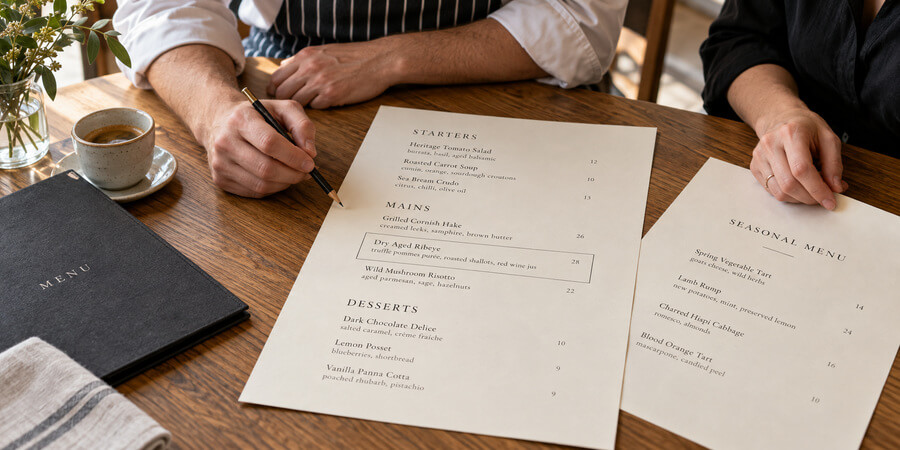
Where items appear on your menu directly influences what guests order. Research on menu psychology shows that 75% of dining decisions are driven by visual presentation, and customers spend an average of 109 seconds reading a menu. Your layout must make the most of that brief window of attention.
Place high-margin items in high-attention zones. Eye-tracking research has consistently identified specific areas of a menu where guests look first - generally the top right of a two-panel menu, the first and last items in a list, and any item set apart by a box, border, or white space. Place your Stars and Puzzles in these positions. Never bury a high-margin item in the middle of a long list.
Use visual anchors to direct attention. Boxes, borders, shading, icons, and white space all create visual hierarchy. A single item highlighted in a box draws the eye before anything else on the page. Use these tools sparingly - if everything is highlighted, nothing stands out. Reserve visual emphasis for your two or three most profitable items per section.
Limit choices per category. Behavioral research on choice overload shows that 5-7 options per category is the optimal range. Beyond that threshold, customers experience decision fatigue - they take longer to order, feel less satisfied with their choice, and are more likely to default to something safe rather than trying a higher-margin item. A focused menu also reduces kitchen complexity, waste, and training time.
Create logical sections. Organize your menu into clear categories that match how guests think about a meal - appetizers, salads, entrees, sides, desserts, beverages. Within each section, lead with your strongest items. Guests tend to remember and order the first and last items in any list, so place Stars at the top and Puzzles at the bottom of each section.
Design for scannability. Most guests scan a menu rather than reading every word. Use clear section headers, consistent formatting, and enough white space to prevent a cluttered appearance. Dense, text-heavy menus make it harder for guests to find what they want and easier for high-margin items to get lost.
Layout design checklist:
- Place Stars and high-margin Puzzles in top-right and first-in-section positions
- Use boxes, borders, or shading to highlight no more than 2-3 items per section
- Limit each category to 5-7 items to reduce decision fatigue
- Lead each section with your strongest item and close with your second-strongest
- Use clear section headers and consistent formatting throughout
- Leave enough white space to prevent visual clutter
- Test your layout by asking someone unfamiliar with your menu which items catch their eye first
Writing Menu Descriptions That Sell
Your menu descriptions are your silent sales force. In a dine-in setting, servers can describe dishes, answer questions, and make recommendations. But on your menu - and especially on digital menus where there is no server interaction - the description is the only information a guest has to make a decision.
Descriptive labels increase sales significantly. Menu psychology research has consistently found that items with descriptive labels - names that include sensory language, geographic origin, or preparation method - significantly outsell items with plain names. Guests also rate descriptively labeled items as better tasting and higher quality, even when the food is identical. The words on your menu change the perception of the food itself.
Use sensory and preparation language. Words that evoke taste, texture, aroma, and cooking method create appetite. "Grilled chicken breast" tells the guest almost nothing. "Slow-roasted free-range chicken breast with herb butter, roasted garlic mashed potatoes, and seasonal vegetables" paints a picture and justifies the price. Include the preparation method (wood-fired, braised, hand-rolled), key ingredients, and portion context when relevant.
Avoid generic filler language. Descriptions like "served with a side" or "comes with your choice of" add words without adding value. Every word on your menu should either describe the food, create appetite, or communicate quality. Cut anything that does not accomplish one of those three goals.
Name items strategically. Item names are the first thing guests read. A creative, descriptive name ("Nonna's Sunday Gravy" instead of "Pasta with Meat Sauce") signals quality, tells a story, and gives guests something to remember and tell others about. Distinctive names also make items easier for servers to upsell and for guests to reorder.
Address dietary needs clearly. The National Restaurant Association's 2026 culinary forecast ranked clear menu labeling and allergen-friendly menus as the third and fourth top trends industrywide. More than 1 in 10 U.S. households is affected by food allergies or intolerances. Use clear icons or labels for common allergens, gluten-free options, vegan and vegetarian items, and spice levels. Transparency builds trust and reduces the friction that causes allergy-conscious guests to order conservatively or avoid your restaurant entirely.
Description writing tips:
- Include sensory words that describe taste, texture, and aroma
- Mention the preparation method - grilled, braised, hand-tossed, slow-smoked
- Name the origin or source of key ingredients when it adds perceived value
- Keep descriptions to 2-3 lines - enough to create appetite, not so much that guests skip them
- Use clear allergen and dietary icons rather than burying this information in text
- Test descriptions by reading them aloud - if they do not create appetite, rewrite them
Menu Pricing Psychology
How you present prices on your menu influences how much guests spend as much as the prices themselves. Small formatting and positioning decisions can meaningfully impact average check size without changing what you charge.
Remove currency symbols. Research from Cornell University found that guests spend more when prices are listed as numerals without dollar signs. A price shown as a plain numeral feels less transactional than one preceded by a currency symbol. The dollar sign triggers a pain-of-paying response that makes guests more price-conscious. If your restaurant concept supports it, drop the dollar sign and the decimal points.
Avoid price columns. When prices are aligned in a single column on the right side of the menu, guests can scan the price column without reading descriptions - and many will default to the cheapest option. Instead, nest the price at the end of each item's description in the same font size so that it flows naturally after the food information rather than standing out on its own.
Use strategic price anchoring. Place a premium-priced item at the top of a section - not because you expect most guests to order it, but because it makes everything below it seem more reasonable by comparison. A section that begins with a high-priced item shifts the guest's reference point upward, making mid-range items feel like better value.
Understand your food cost targets. Pricing is not just psychology - it is math. Industry benchmarks for food cost percentage vary by restaurant type, and your menu prices must support your target margins.
| Restaurant Type: | Target Food Cost: | Target Profit Margin: | Source: |
| Quick service | 20-25% | 6-10% | Industry benchmark 2025 |
| Fast casual | 25-30% | Varies by concept | Industry benchmark 2025 |
| Casual dining | 25-30% | 5-8% | Industry benchmark 2025 |
| Fine dining | 30-35% | 5-7% | Industry benchmark 2025 |
| Prime cost target (food + labor) | 65% or less | Profitability threshold | Industry benchmark 2025 |
Price for perceived value, not just cost-plus. Food cost percentage is a floor, not a formula. A dish that costs 22% in ingredients but delivers an exceptional experience can be priced at a premium that reflects its perceived value - not just a markup on its cost. Conversely, a high-food-cost item that guests perceive as basic will face resistance at any significant price point.
Pricing strategy tips:
- Remove dollar signs and decimal points where your concept allows
- Nest prices at the end of descriptions rather than in a separate column
- Place a premium item first in each section to anchor guest expectations upward
- Calculate food cost percentage for every item and ensure it falls within your target range
- Review pricing quarterly against actual food costs, not just annual supplier contracts
- Never raise prices across the board simultaneously - adjust strategically by item based on margin analysis
Food Photography and Visual Presentation
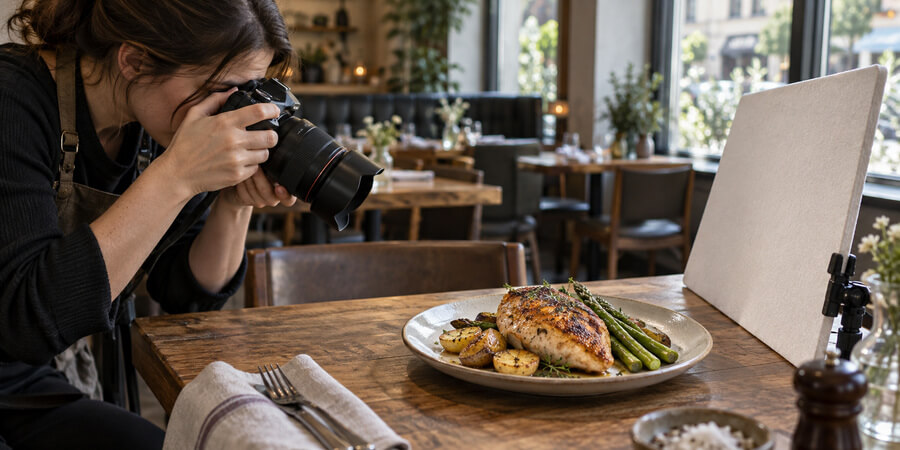
The visual presentation of your menu - particularly whether and how you use food photos - has a direct, measurable impact on what guests order. This applies to both printed menus and digital ordering platforms.
Photos increase ordering. Data from a study of 15,000 small restaurants found that menus with item photos generate up to 44% more monthly sales. On delivery platforms specifically, high-quality food photography can increase orders by 35%. For digital menus where guests cannot see food at neighboring tables or ask servers for descriptions, photos become the primary decision-making tool.
Quality matters more than quantity. A low-quality photo does more harm than no photo at all. Poorly lit, blurry, or unappealing images signal low quality and reduce the perceived value of the dish. If you use photos, invest in professional food photography for your highest-margin and best-selling items. You do not need to photograph every item - a selective approach that highlights your Stars and Puzzles is more effective.
Use photos strategically on print menus. On a physical menu, photos should be used sparingly to avoid a cluttered look that can cheapen the dining experience. One or two photos per section - featuring your highest-margin items - draws attention without overwhelming the layout. Reserve extensive photography for digital menus and delivery platforms where visual browsing is the expected behavior.
Optimize photos for digital platforms. On online ordering platforms, items without photos are significantly less likely to be ordered. Consumers report that viewing pictures is more important than reading menu descriptions or reviews when deciding what to order. Ensure every item on your digital menu has a high-quality, well-lit photo that accurately represents what the guest will receive.
Visual presentation tips:
- Invest in professional photography for your top 10-15 items (Stars and Puzzles)
- Use natural lighting and clean backgrounds - avoid over-styled or unrealistic presentations
- On print menus, limit photos to 1-2 per section to maintain a clean layout
- On digital menus, photograph every item - unphoto'd items underperform dramatically
- Update photos when recipes, plating, or portions change
- Ensure delivery platform photos accurately represent what arrives - misleading photos generate complaints
Designing Menus for Digital and Takeout
Your menu must now work across multiple formats - printed menus for dine-in, digital menus for your website and app, and platform-specific menus for third-party delivery. For dine-in, durable menu covers protect printed inserts through daily handling. Each format has different design requirements, and treating them identically is a missed opportunity.
Digital menus are not digital copies of your print menu. Guests browse digital menus differently than print menus. They scroll vertically, make decisions faster, and rely more heavily on photos and short descriptions. Organize digital menus into clear categories with descriptive item names that make sense without a server's context. Items that require explanation work for dine-in but may underperform online.
Curate separate menus for delivery. Industry research found that 90% of restaurants that streamlined their delivery menus reported a positive impact on their delivery business. Not every dine-in item travels well. Remove items that lose quality in takeout containers, and feature items that maintain their integrity during transport. A focused delivery menu also reduces kitchen complexity during high-volume periods.
QR code menus are now standard. Industry surveys indicate that 85% of restaurants continue using QR codes, and 67% of diners prefer restaurants that offer both digital and traditional menu options. If you use QR code menus, ensure they load fast on mobile, are easy to navigate, and do not require downloading an app. A slow or frustrating digital menu experience can negatively impact guest perception of your restaurant.
Optimize for mobile-first ordering. The majority of online ordering now happens on mobile devices. Your digital menu must be fully functional on a phone screen - scannable categories, clear item descriptions, easy modification options, and a fast checkout flow. Menu items with high-quality photos, accurate descriptions, and built-in upsell prompts (add-ons, sides, beverages) consistently outperform items without them in digital environments.
Menu accessibility matters. Digital menus must be accessible to guests with disabilities. Use sufficient font sizes for readability, ensure adequate color contrast, and follow accessibility standards so that screen readers can navigate your menu. Accessibility is both a legal consideration and a customer experience improvement that benefits all guests, including those reading menus in low light or without glasses.
Digital menu optimization tips:
- Create a separate, curated menu for delivery that features only items that travel well
- Ensure your digital menu loads in under 3 seconds on mobile devices
- Add high-quality photos to every item on digital platforms
- Include modification options and upsell prompts at item and checkout levels
- Test your digital menu on multiple devices and screen sizes
- Update digital menus in real-time when items sell out rather than accepting unfulfillable orders
Measuring Menu Performance
Designing a great menu is not a one-time project - it is an ongoing process of measuring, analyzing, and adjusting. Track these metrics to understand whether your menu changes are working.
Menu mix percentage measures what share of total orders each item represents. Items with high menu mix percentages are popular; items with low percentages may need repositioning, better descriptions, or removal. Track this weekly to identify trends.
Contribution margin per item calculates the profit each item generates after subtracting food cost. An item with a high menu mix percentage but a low contribution margin is a Plowhorse - popular but not profitable. An item with a low menu mix but high contribution margin is a Puzzle - profitable but underordered. This metric tells you where to focus your menu engineering efforts.
Average check size reveals whether your menu design is encouraging guests to spend more. After making menu changes - repositioning items, rewriting descriptions, adjusting pricing - track average check size weekly to measure impact. Even a small increase compounds significantly over time.
Item-level sell-through tracks how quickly each item sells relative to your prep. Items that consistently sell out may need larger prep quantities. Items that regularly go unsold generate waste and signal either low demand or poor menu positioning.
Guest feedback on menu clarity provides qualitative data. If servers frequently answer the same questions about menu items, your descriptions need improvement. If guests regularly ask "what do you recommend," your menu is not doing its job of guiding decisions.
| Metric: | What It Tells You: | Review Frequency: |
| Menu mix percentage | Which items are popular vs. underordered | Weekly |
| Contribution margin per item | Which items are most and least profitable | Monthly |
| Average check size | Whether menu changes are increasing spend | Weekly after changes |
| Item-level sell-through | Whether prep quantities match demand | Daily |
| Food cost percentage (actual vs. target) | Whether pricing supports your margins | Monthly |
| Server questions about menu items | Whether descriptions need improvement | Ongoing |
Updating and Refreshing Your Menu
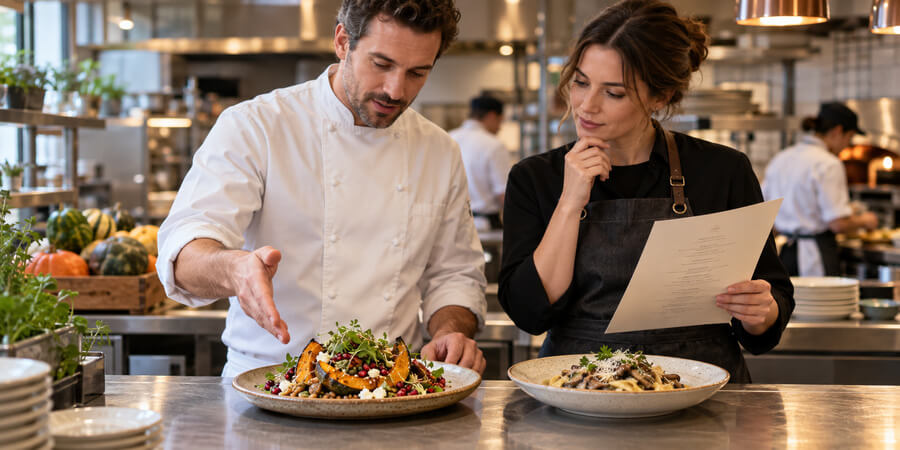
A menu that never changes stales your brand, misses seasonal opportunities, and locks you into items that may no longer be your best performers. But changing too frequently creates operational chaos and confuses regulars.
Review your menu quarterly using data. Pull your menu mix percentages, contribution margins, and food cost actuals every quarter. Identify Dogs that should be removed, Plowhorses that need price or portion adjustments, and Puzzles that deserve better positioning or descriptions. Data-driven menu reviews prevent the common mistake of keeping items on the menu based on the chef's attachment rather than actual performance.
Use seasonal changes strategically. Seasonal menu updates give regulars a reason to return, generate social media content, and allow you to take advantage of ingredient availability and pricing. Industry data shows that menu sizes across most restaurant segments have grown over the past 20 years - fast casual menus by 33%, midscale by 29%, and quick service by 20% - but fine dining is the only segment where menus shrank post-pandemic and have not recovered. The trend toward menu simplification in fine dining reflects a growing understanding that fewer, better-executed items outperform sprawling menus.
Align your menu with your kitchen capabilities. Every item on your menu must be executable at peak volume without compromising quality. Before adding new items, consider whether your kitchen has the equipment, station capacity, and staff skill to produce them consistently. A dish that shines during a quiet Tuesday lunch but falls apart during Friday dinner rush does not belong on your menu.
Test new items before committing. Run new items as limited-time specials before adding them permanently. Table tents let you test specials without touching the core menu. Track sales volume, food cost accuracy, preparation time, and guest feedback during the test period. This approach reduces risk and provides data to support your decision.
Menu refresh best practices:
- Conduct data-driven menu reviews quarterly using menu mix and margin data
- Remove Dogs immediately rather than hoping they will improve
- Introduce seasonal items to create urgency and give regulars a reason to return
- Test new items as specials before adding them to the permanent menu
- Ensure every item is executable at peak volume with your current kitchen setup
- Update digital menus simultaneously with print menus to avoid version conflicts
Frequently Asked Questions
How many items should my menu have?
There is no universal number, but behavioral research suggests limiting each category to 5-7 options to avoid decision fatigue. A fast-casual concept may have 20-30 total items. A full-service restaurant may have 40-60. Fine dining often operates with fewer than 30. The goal is not a specific count - it is ensuring that every item earns its place through either profitability or popularity.
Should I use photos on my printed menu?
Use them sparingly - 1-2 per section at most, featuring your highest-margin items. Too many photos on a print menu can look cluttered and cheapen the dining experience. On digital menus, the opposite is true - every item should have a photo because online guests rely on visuals as their primary decision tool.
How often should I change my menu?
Review performance data quarterly and make adjustments based on what the numbers show. Most restaurants benefit from a seasonal refresh (4 times per year) that rotates 15-25% of items while keeping core best-sellers. Avoid changing your entire menu at once - it creates kitchen chaos and alienates regulars who come back for specific dishes.
Does removing dollar signs really make guests spend more?
Cornell University research found that presenting prices as numerals without currency symbols reduces the pain-of-paying response and increases spending. This approach works best in full-service and fine-dining environments. For quick-service or casual concepts where price transparency is part of the brand, including dollar signs may be more appropriate.
How do I know if an item should be removed from the menu?
Use the menu engineering matrix. If an item is both low-popularity and low-profitability (a Dog), remove it. If it is popular but unprofitable (a Plowhorse), adjust pricing or portions before removing. Track menu mix percentage and contribution margin for every item so your decisions are based on data, not intuition or attachment.
Should I have a separate menu for takeout and delivery?
Yes. Not every dine-in item travels well, and a curated delivery menu that features only items maintaining quality in transit performs better than your full menu. Research shows that 90% of restaurants that streamlined their delivery menus saw a positive impact on delivery performance.
How important are allergen labels on menus?
Very important. The NRA ranked clear menu labeling and allergen-friendly menus as the third and fourth top trends for 2026. More than 1 in 10 U.S. households is affected by food allergies. Clear allergen icons build trust, reduce server questions, and encourage allergy-conscious guests to order with confidence rather than playing it safe.
What font size should I use for my menu?
Prioritize readability over aesthetics. Body text should be no smaller than 10-11 point for print menus, and restaurants with an older demographic should use 12 point or larger. For digital menus, a minimum of 16 pixels ensures readability on mobile devices. If guests need to squint, hold the menu at arm's length, or pull out their phone flashlight, your text is too small.
How do I price a new menu item?
Start with food cost - calculate the total ingredient cost per serving. Then divide by your target food cost percentage (typically 25-35% depending on your restaurant type) to get a baseline price. Adjust based on perceived value, competitor pricing for similar items, and where the item fits in your menu's price range. Test the price during a special-period run before committing.
Should I invest in professional menu design?
If you are opening a new restaurant or redesigning your menu, professional design is worth the investment. A well-designed menu pays for itself through increased average check size and better guest experience. If budget is limited, focus your investment on professional food photography for your top items and ensure your layout follows the principles in this guide - high-margin items in high-attention positions, clear sections, and enough white space for scannability.
Related Resources
- Restaurant Marketing Guide - Foundational marketing strategies for restaurant owners
- Restaurant Menu Pricing Guide - Food cost percentages, pricing psychology, and how to raise prices without losing guests
- Restaurant Online Ordering Guide - Optimize your digital menu for online ordering
- Restaurant Coupons and Promotions Guide - Drive traffic with strategic promotions tied to menu items
- Restaurant Email Marketing Guide - Promote new menu items and seasonal specials to your email list
- Food Safety Guide - Ensure your menu supports food safety compliance and allergen transparency
- Guest Check Guide - Checks with menu prompts that walk servers through every course
Share This!