Troubleshooting Common Commercial Refrigerator Repair Issues
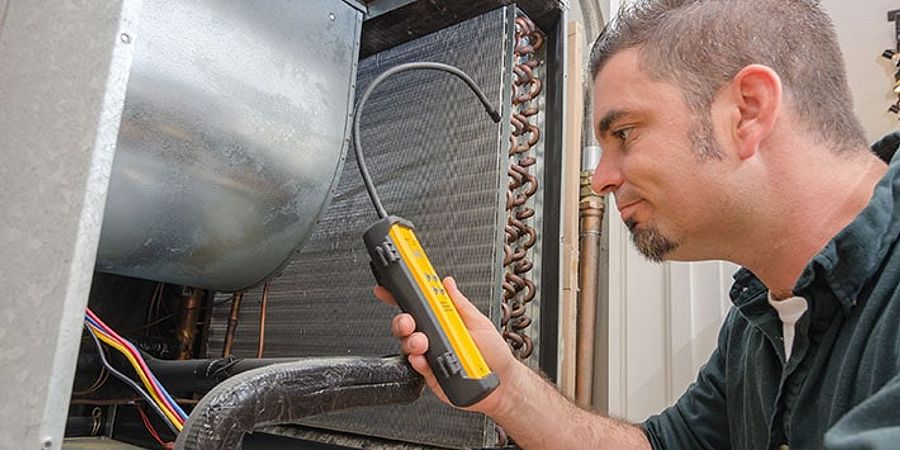
Table of Contents
Fix Refrigeration Problems Fast and Keep Your Kitchen Running Without Expensive Emergency Service Calls
Commercial refrigerator breakdowns threaten food safety and revenue. This guide walks you through diagnosing and fixing the most common problems - from units running warm to compressor failures - with clear troubleshooting steps that help you decide when to DIY and when to call a professional.
When your commercial refrigerator stops working properly, every minute counts. Refrigeration failures are among the most common and costly equipment breakdowns in foodservice, threatening both inventory and food safety. Foodborne illness costs an estimated seventy-five billion dollars annually in the U.S. (USDA Economic Research Service / GAO 2025), and a single malfunctioning unit can put your operation at risk.
This troubleshooting guide is organized by symptom - what you're actually seeing go wrong. Each section covers the likely causes, step-by-step diagnostic procedures, and practical fixes you can attempt before calling a technician. You'll also find clear guidance on when professional help is necessary to avoid making problems worse or voiding warranties.
Whether you're dealing with a reach-in unit, undercounter refrigerator, or walk-in cooler, the diagnostic approach remains similar across all types of commercial refrigeration equipment. Let's start with the most common problem restaurant operators face.
| Symptom: | Likely Cause: | Quick Check: | DIY or Pro? |
| Not cooling properly | Dirty condenser coils | Check coils for dust buildup | DIY |
| Not cooling properly | Faulty thermostat | Test temperature accuracy | DIY |
| Not cooling properly | Failed compressor | Listen for compressor running | Pro |
| Freezing food | Thermostat set too low | Check temperature setting | DIY |
| Freezing food | Stuck damper | Inspect damper operation | DIY/Pro |
| Excessive ice buildup | Defrost system failure | Check defrost timer/heater | Pro |
| Compressor won't start | Electrical issue | Check breaker and power | DIY/Pro |
| Compressor short cycling | Refrigerant leak | Look for oil spots | Pro |
| Water pooling inside | Clogged drain line | Clear drain with hot water | DIY |
| Unusual noises | Failing fan motor | Identify noise source | DIY/Pro |
Not Cooling or Running Warm
This is the number one complaint - and the most urgent. The FDA Food Code requires cold holding at 41°F (5°C) or below (FDA Food Code 2022), and bacteria can double in number in as little as 20 minutes when food enters the danger zone between 41°F and 135°F (USDA). You need answers fast.
Dirty Condenser Coils
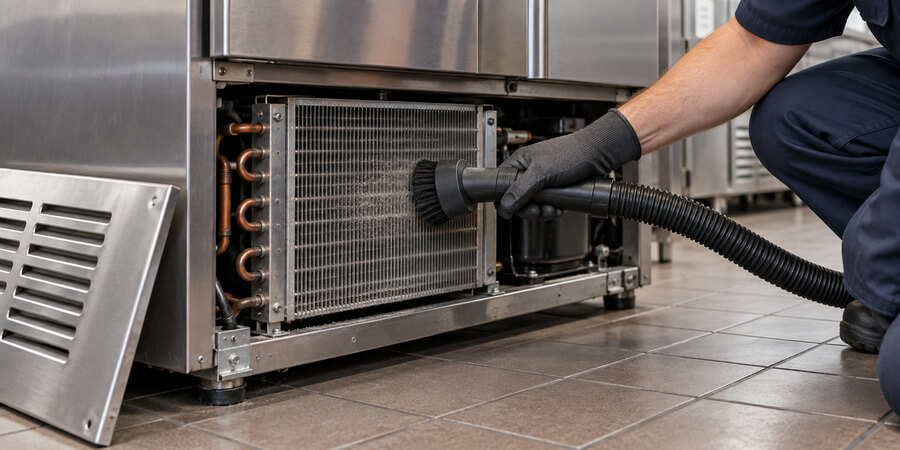
What's happening: Condenser coils release heat from inside the unit. When they're caked with dust, grease, and debris, heat can't escape efficiently. The compressor works harder, runs hotter, and eventually can't keep up with cooling demand.
How to diagnose: Locate the condenser coils - usually on the back, bottom, or top of the unit. Look for visible dust, lint, or grease buildup. If you can't see the coils clearly through the buildup, they're too dirty.
The fix: Unplug the unit or turn off the breaker. Use a coil brush (available at any hardware store) to gently brush away debris, working in the direction of the fins. Follow up with a vacuum using a brush attachment. For greasy buildup common in kitchens, use a commercial coil cleaner spray following manufacturer directions. This is the single most important maintenance task you can do - dirty condenser coils increase energy consumption by an average of 17% (Energy Star 2024).
How often: Clean coils monthly in high-grease environments, quarterly in cleaner settings. Mark it on your maintenance schedule.
Thermostat Problems
Start by checking the obvious: Is the thermostat set correctly? Someone may have accidentally adjusted it during cleaning. The proper setting for most commercial refrigerators is between 35°F and 38°F.
Next, test accuracy. Place an appliance thermometer in a glass of water in the center of the unit. Wait four hours, then compare the thermometer reading to the thermostat display. If they differ by more than 3°F, the thermostat needs recalibration or replacement. Some digital thermostats can be recalibrated following manufacturer instructions. Mechanical dial thermostats usually need replacement - a straightforward job for most operators comfortable with basic electrical work.
Compressor Issues
The compressor is the heart of your refrigeration system. Listen carefully: Is it running? You should hear a low hum. If it's completely silent, check the power supply first (covered in the Electrical section below). If power is good but the compressor won't start, you're looking at a professional repair.
If the compressor runs but the unit still won't cool, you likely have a refrigerant leak or compressor failure. Both require professional service - refrigerant handling requires EPA certification, and compressor replacement often costs enough that you'll want to evaluate whether replacement makes more sense.
Blocked Airflow
Commercial refrigerators need air circulation to work properly. Check these common airflow problems:
- Overloading: Food packed too tightly blocks air vents and prevents cold air circulation. Reorganize contents to allow at least two inches of clearance around air vents.
- Blocked vents: Make sure nothing is covering the evaporator fan vents inside the unit or the condenser fan vents outside.
- Poor kitchen ventilation: If your entire kitchen is hot, the refrigerator has to work harder. Ensure kitchen exhaust systems are working properly.
Door Gasket Failures
Run your hand along the door gasket while the door is closed. Feel any air leaking out? Try the dollar bill test: Close the door on a dollar bill. If you can pull it out easily, the gasket isn't sealing properly.
Torn, cracked, or loose gaskets let warm air in constantly, forcing the compressor to run continuously without achieving proper temperature. Clean gaskets monthly with warm soapy water - grease and food debris prevent proper sealing. If cleaning doesn't help, gaskets are inexpensive and usually easy to replace. Most snap or slide into a retaining channel without tools.
Freezing Food or Running Too Cold
Finding frozen lettuce or ice-crusted produce is frustrating and costly. Here's how to stop it.
Check the thermostat setting first. This sounds obvious, but it's the most common cause. Someone may have turned it down too far. Reset to 35-38°F and monitor for 24 hours.
Test thermostat accuracy using the same water glass method described above. A faulty thermostat that reads warm when the unit is actually cold will keep the compressor running continuously, driving temperatures below freezing. Replace if readings are off by more than 3°F.
Inspect the damper. The damper controls how much cold air flows from the freezer section (in combination units) or evaporator into the fresh food compartment. If it's stuck open, too much cold air floods in. Locate the damper (usually in the back wall of the fresh food section) and watch it operate through a cooling cycle. It should open and close based on temperature. If it's stuck open or the control is faulty, you'll need a replacement damper assembly - a job most operators can handle with basic tools.
Look for ice buildup on the evaporator coils. Excessive ice blocks airflow and causes temperature fluctuations. If you see heavy frost or ice, you have a defrost system problem (covered in detail below). The temporary fix: manually defrost by turning off the unit and letting ice melt completely, but this doesn't solve the underlying issue.
Check the evaporator fan. If the fan runs continuously instead of cycling with the compressor, it pushes too much cold air into the cabinet. The fan should stop when the door opens and cycle on and off with the compressor. If it runs nonstop, the fan relay or control board needs attention - usually a professional repair.
Compressor Problems
The compressor is the most expensive component in your refrigeration system. Understanding compressor issues helps you make smart repair-versus-replace decisions.
Compressor Won't Start
- Verify power supply. Check that the unit is plugged in and the breaker hasn't tripped. Reset the breaker if needed.
- Listen for clicking. If you hear clicking sounds every few minutes, the compressor is trying to start but failing. This usually indicates a failed start relay or overload protector - components that are inexpensive and can be replaced by someone comfortable with electrical work.
- Check the start capacitor. If your unit has a start capacitor (common on larger compressors), it may have failed. A multimeter can test capacitance, but if you're not experienced with electrical testing, call a professional. Capacitors store electrical charge and can shock you even when the unit is unplugged.
- Feel the compressor temperature. A compressor that's too hot to touch has likely tripped its overload protector. Let it cool for several hours, then try again. If it immediately overheats again, you have a serious problem - possibly a seized compressor or electrical short.
Short Cycling
Short cycling means the compressor turns on and off rapidly - running for just a few minutes before shutting down, then restarting shortly after. This is hard on the compressor and indicates a problem.
Common causes:
- Dirty condenser coils force the compressor to overheat and shut down on the overload protector. Clean the coils thoroughly.
- Refrigerant leaks cause low pressure, triggering safety shutoffs. Look for oily spots around compressor connections - refrigerant leaks leave an oily residue. This requires professional repair.
- Faulty overload protector may trip prematurely even when the compressor isn't actually overheating. Testing requires a multimeter and electrical knowledge.
- Oversized or undersized compressor for the application will short cycle, but this is a design issue, not something that develops over time.
Compressor Runs Continuously
A compressor that never shuts off is working too hard and will fail prematurely. Troubleshoot in this order:
First, address all the cooling problems listed in the "Not Cooling" section above - dirty coils, thermostat issues, door gaskets, and airflow problems. These are the most common reasons for continuous running.
Second, check the temperature. If the unit is actually maintaining proper temperature despite continuous running, you may have a faulty thermostat that never signals the compressor to shut off. Replace the thermostat.
Third, consider refrigerant levels. A system low on refrigerant will run continuously trying to reach the set temperature but never quite getting there. You'll need a professional to check refrigerant levels and repair any leaks.
Unusual Compressor Noises
Rattling or vibrating: Check that the compressor mounting bolts are tight and rubber isolation mounts aren't deteriorated. Loose mounting is an easy fix.
Clicking: Usually indicates a failing start relay or overload protector trying to engage repeatedly.
Grinding or squealing: These are bad signs indicating internal compressor damage. If you hear grinding, start planning for replacement - the compressor is dying.
Loud humming: Some humming is normal, but if it's suddenly much louder, the compressor may be struggling due to electrical problems, refrigerant issues, or internal wear.
Evaporator Fan and Airflow Issues
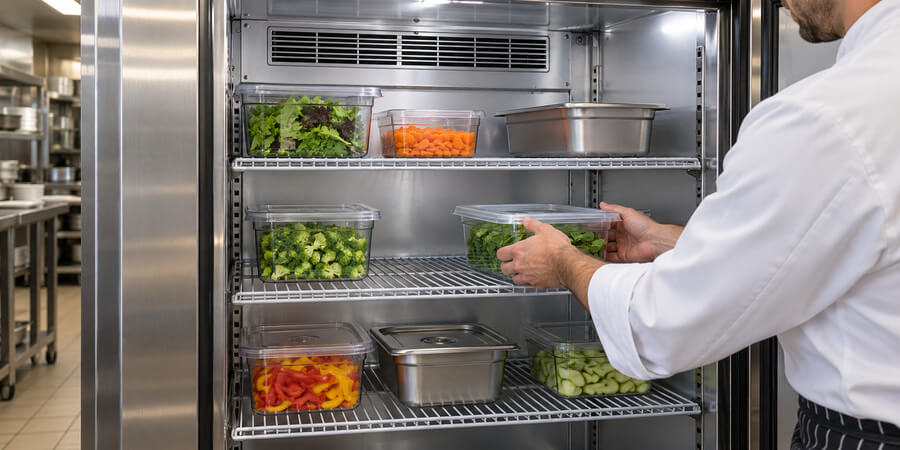
The evaporator fan circulates cold air throughout the cabinet. When it fails, you'll notice uneven cooling - some areas cold, others warm.
Diagnose fan operation: Open the door. On most units, the fan should stop when the door opens (a safety switch prevents cold air from blowing out). Close the door and listen carefully. You should hear the fan running - a gentle whooshing sound distinct from the compressor hum.
If the fan doesn't run:
Check the door switch first. This small switch (usually in the door frame) tells the fan to stop when the door opens. If it's stuck in the "door open" position, the fan won't run even with the door closed. Press the switch manually - you should hear a click and the fan should start. If the switch is broken, they're inexpensive and easy to replace.
Test the fan motor directly. Unplug the unit, locate the evaporator fan (usually behind a panel in the freezer section or back of the cabinet), and try spinning the fan blade by hand. It should spin freely. If it's stiff or won't spin, the motor bearings are seized. If it spins freely but won't run when powered, the motor is electrically failed. Fan motors are relatively inexpensive and moderately easy to replace if you're comfortable with basic electrical connections.
If the fan runs but airflow is weak:
- Ice buildup on the evaporator coils blocks airflow. You'll need to defrost the unit and fix the underlying defrost system problem.
- Dirty fan blades reduce airflow efficiency. Clean the blades with a damp cloth.
- Blocked air channels inside the cabinet prevent circulation. Remove any items blocking vents.
If the fan is noisy:
Squealing or grinding from the fan motor indicates worn bearings. The motor will fail soon - replace it before it stops working completely and you lose product.
Rattling usually means the fan blade is loose on the motor shaft or hitting something. Tighten the blade or adjust its position.
Ice Buildup and Drainage Problems
Excessive ice on evaporator coils or water pooling inside the unit points to defrost system or drainage issues.
Understanding the Defrost Cycle
Commercial refrigerators use automatic defrost systems to prevent ice buildup on evaporator coils. The system includes three key components:
- Defrost timer - Triggers defrost cycles at set intervals (usually every 6-12 hours)
- Defrost heater - Melts ice off the coils
- Defrost termination thermostat - Ends the defrost cycle when coils reach a certain temperature
When any component fails, ice accumulates until it blocks airflow completely.
Diagnosing Defrost System Failures
Heavy frost or ice on evaporator coils means the defrost system isn't working. Manually defrost the unit first (turn it off and let ice melt completely), then diagnose which component failed.
Test the defrost timer: Locate the timer (usually near the compressor or inside the control panel) and advance it manually using a screwdriver in the advance slot. You should hear a click as it advances through the cycle. If the heater comes on, the timer is likely faulty and needs replacement. If nothing happens, test the heater next.
Test the defrost heater: With the unit unplugged, use a multimeter to check continuity across the heater terminals. No continuity means the heater is burned out and needs replacement. This is a professional repair - the heater is often difficult to access and requires partial disassembly.
Check the defrost termination thermostat: This small thermostat clips onto the evaporator coils. If it fails, the defrost cycle may not end properly, causing water to overflow the drain pan, or it may not allow defrost to start at all. Testing requires a multimeter and understanding of the specific temperature points where it should open and close.
Clogged Drain Lines
Water from the defrost cycle should drain into a pan where it evaporates. If the drain line clogs, water backs up and pools inside the unit or leaks onto the floor.
Clear a clogged drain: Locate the drain opening (usually at the back bottom of the interior cabinet). Mix hot water with a small amount of dish soap and pour it down the drain. For stubborn clogs, use a turkey baster or small funnel to force hot water through. You can also use a piece of flexible wire or a drain snake to break up the clog.
Prevent future clogs: Pour a cup of hot water down the drain weekly. Some operators add a tablespoon of baking soda monthly to prevent bacterial growth and odors in the drain line.
Check the drain pan: Make sure the drain pan under the unit isn't cracked or overflowing. Empty and clean it if needed.
Electrical and Power Issues
Electrical problems can mimic other failures, so always check power first when troubleshooting.
No Power - Unit Completely Dead
- Check the obvious: Is the unit plugged in? Has someone unplugged it for cleaning and forgotten to plug it back in? It happens more often than you'd think.
- Test the outlet: Plug in another device to verify the outlet has power. If the outlet is dead, check your electrical panel.
- Inspect the breaker: A tripped breaker will be in the middle position, not fully "on" or "off." Reset by switching it fully off, then back on. If it trips again immediately, you have a short circuit - call an electrician.
- Look for a GFCI reset button: Some installations use GFCI protection. If the GFCI has tripped, press the reset button on the outlet or GFCI breaker.
- Check the power cord: Inspect the entire length for damage, cuts, or burn marks. A damaged cord is a fire hazard and must be replaced immediately.
Partial Power - Lights Work But Compressor Won't Run
This indicates power is reaching the unit but not getting to the compressor circuit. Possible causes include a blown internal fuse, failed control board, broken wiring between the control board and compressor, or a failed compressor relay. These require electrical troubleshooting skills - if you're not comfortable working with electrical systems, call a professional.
Interior Lights Not Working
If the compressor runs but interior lights don't work, you have a simple bulb or light switch problem, not a refrigeration issue.
Use only appliance-rated bulbs designed for cold, damp environments. Standard bulbs will fail quickly. Check the door switch as well - the same switch that controls the evaporator fan often controls the light. If it's stuck or broken, lights won't work. Test by manually pressing the switch. Inspect the light socket for corrosion or moisture that could prevent electrical contact, and clean with a dry cloth or replace the socket if corroded.
Frequent Breaker Trips
If the breaker trips repeatedly, you have a serious problem that needs immediate attention. Common causes include electrical shorts in the wiring, compressor, or fan motor; an overloaded circuit where the refrigerator shares a circuit with other equipment; a failing compressor drawing excessive current; or an undersized breaker for the unit's requirements. Check the data plate for required amperage.
Don't keep resetting a breaker that trips repeatedly. This is a fire hazard. Call an electrician or refrigeration technician to diagnose the problem.
When to Call a Professional

Some repairs are straightforward enough for operators with basic mechanical skills. Others require specialized tools, refrigerant certification, or electrical expertise that makes professional service the smart choice.
| Situation: | Why Professional Help Is Needed: | Risk of DIY Attempt: |
| Refrigerant leak or recharge | EPA certification required by law; specialized equipment needed | Illegal without certification; environmental harm; personal injury from refrigerant exposure |
| Compressor replacement | Requires refrigerant recovery, brazing, vacuum pump, and recharge | System contamination; fire hazard from brazing |
| Electrical shorts or wiring issues | Risk of shock, fire, or equipment damage | Electrocution; fire; voiding insurance coverage |
| Control board replacement | Requires diagnostic tools and wiring knowledge | Expensive part easily damaged by incorrect installation |
| Sealed system repairs | Requires brazing and refrigerant handling | System contamination; refrigerant loss; personal injury |
| Warranty-covered repairs | Attempting DIY voids manufacturer warranty | Loss of coverage; paying for damage you caused |
DIY-Friendly Repairs
You can likely handle these repairs if you're comfortable with basic tools and following instructions:
- Cleaning condenser coils
- Replacing door gaskets
- Clearing drain lines
- Replacing thermostats (if comfortable with basic electrical)
- Replacing fan motors (if comfortable with basic electrical)
- Adjusting door hinges and alignment
- Replacing light bulbs and door switches
Making the Repair vs Replace Decision
Compare repair costs to replacement value. If your unit is more than 10 years old - approaching the typical 10 to 15 year lifespan for commercial refrigeration - and needs a major repair, replacement might make more financial sense. Modern units are significantly more energy-efficient. Since 44% of commercial kitchen electricity goes to refrigeration (U.S. Energy Information Administration, cited in Energy Star 2024), an efficient new unit can pay for itself through energy savings over time.
Preventive Maintenance Pays Off
The best way to avoid expensive repairs is consistent preventive maintenance. Preventive maintenance can extend equipment life expectancy by up to 30% (Tech24 2022).
A comprehensive maintenance program includes monthly coil cleaning, quarterly gasket inspection, regular drain line flushing, and annual professional inspection. The small investment in routine maintenance prevents the majority of breakdowns and extends equipment life significantly. For help choosing the right replacement parts, understanding the difference between OEM and aftermarket components can save time and money.
Frequently Asked Questions
Why is my commercial refrigerator not cooling?
The most common causes are dirty condenser coils, faulty thermostats, failed compressors, blocked airflow, or leaking door gaskets. Start by cleaning the condenser coils thoroughly - this resolves the issue more often than any other single fix. Next, verify the thermostat is set correctly (35-38°F) and test its accuracy with an appliance thermometer. Check that nothing is blocking air vents inside the unit and that door gaskets seal tightly. If these basic checks don't solve the problem, you likely have a compressor or refrigerant issue requiring professional service.
How do I fix a commercial refrigerator that keeps freezing food?
First, check that the thermostat is set between 35-38°F - someone may have accidentally turned it too low. Test thermostat accuracy by placing a thermometer in a glass of water in the center of the unit for four hours. If the thermostat reads more than 3°F different from the actual temperature, replace it. Also inspect the damper (which controls cold airflow) to ensure it's not stuck open. Heavy ice buildup on evaporator coils can cause temperature fluctuations - if you see excessive frost, you have a defrost system problem that needs professional attention.
What causes a commercial refrigerator compressor to fail?
Compressor failure typically results from dirty condenser coils causing overheating, refrigerant leaks creating low-pressure conditions, electrical problems like voltage fluctuations or failed start components, lack of maintenance leading to premature wear, or simply age. The best prevention is monthly condenser coil cleaning, annual professional maintenance, and addressing small problems before they damage the compressor. Once a compressor fails completely, evaluate whether a new unit makes more sense, especially if the refrigerator is over 10 years old.
How often should commercial refrigerator condenser coils be cleaned?
Clean condenser coils monthly in high-grease kitchen environments or quarterly in cleaner settings. Kitchens with heavy frying, grilling, or high dust levels need monthly cleaning. Bakeries, prep kitchens, or cleaner environments can extend to every three months. Never go longer than quarterly - dirty coils increase energy consumption by an average of 17% and cause most cooling problems. Make coil cleaning part of your regular maintenance schedule. The job takes 15-20 minutes and prevents significant repair costs and lost product.
When should I repair vs replace a commercial refrigerator?
Consider replacement when repair costs exceed 50% of replacement value, the unit is over 10-12 years old (approaching the typical 10 to 15 year lifespan), you're facing a second major repair within a year, energy costs are significantly higher than they should be, or the unit can't maintain proper food safety temperatures consistently. Modern energy-efficient models often pay for themselves through lower operating costs. Get quotes for both repair and replacement before deciding.
What temperature should a commercial refrigerator be set at?
Set commercial refrigerators between 35-38°F for optimal food safety and equipment performance. The FDA Food Code requires cold holding at 41°F or below, but setting slightly colder provides a safety buffer for door openings and temperature fluctuations. Never set below 33°F or you'll freeze fresh produce and other temperature-sensitive items. Use an appliance thermometer to verify actual temperature matches the thermostat setting - place it in a glass of water in the center of the unit and check after four hours. For more details on safe food storage temperatures, see our guide to refrigerated food temperatures.
Why is my commercial refrigerator making loud noises?
Different noises indicate different problems. Rattling or vibrating usually means loose compressor mounting bolts or deteriorated rubber isolation mounts - both easy fixes. Clicking sounds indicate a failing start relay or overload protector trying to engage repeatedly. Squealing or grinding from the evaporator fan means worn bearings and the motor needs replacement soon. Loud humming from the compressor suggests it's struggling due to electrical problems, dirty coils, or internal wear. Gurgling or bubbling is normal - that's refrigerant flowing through the system. If you hear grinding from the compressor itself, start planning for replacement - that indicates serious internal damage.
Related Resources
- Commercial Refrigeration Types Guide - Understand different refrigeration systems and how they work
- Restaurant Equipment Parts Guide - Learn about OEM vs aftermarket parts for repairs
- Commercial Refrigeration Routine Maintenance and Best Practices - Preventive maintenance schedules to avoid breakdowns
- How to Have Fewer Repairs on Your Commercial Refrigerator - Prevention strategies that extend equipment life
- Telltale Signs It's Time to Replace a Refrigerator - Know when repair no longer makes financial sense
Share This!