Restaurant Website Guide
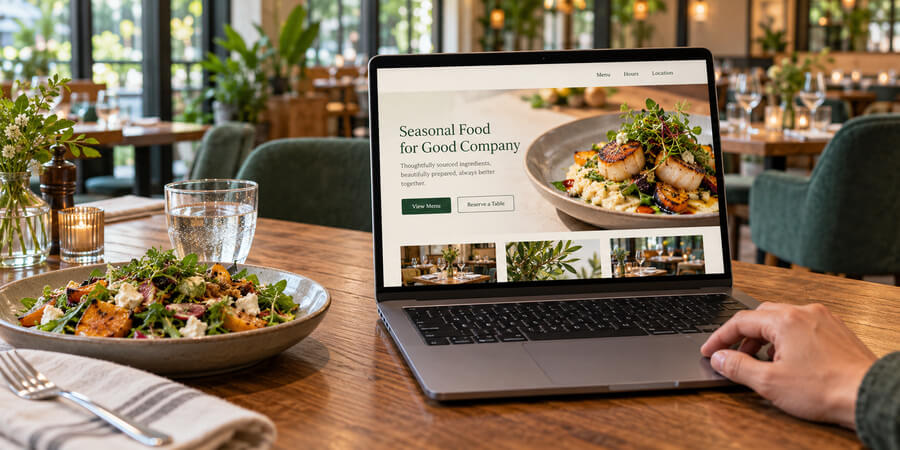
Table of Contents
A practical framework for building a restaurant website that attracts customers, drives orders, and ranks well
Your website is the most controllable marketing asset your restaurant owns. Unlike social media algorithms or third-party listing platforms, your website gives you full control over how customers discover, evaluate, and interact with your business online. Yet many restaurant websites still function as digital brochures with outdated menus, missing hours, and no way to place an order or make a reservation. According to Capital One Shopping's 2026 research, 96% of consumers read online reviews of a local business before visiting - and your website is often where they land. This guide covers how to build a restaurant website that works as a genuine business tool: attracting search traffic, converting visitors into customers, and supporting the operational systems that drive revenue.
Your restaurant's website is working for you or against you - there's no neutral position. When a potential customer searches for a place to eat, researches your menu before visiting, or tries to place a delivery order, your website either answers their questions and moves them toward a transaction or sends them to a competitor who does. The stakes are higher than most operators realize.
Consider the numbers: according to Statista, over 62% of all global website traffic now comes from mobile devices. Google research shows that 76% of people who search for something nearby visit a business within 24 hours, and 28% of those local searches result in a purchase. Capital One Shopping's 2026 analysis found that 96% of consumers read online reviews of a local business before visiting. Your website sits at the intersection of all these behaviors - it's where search traffic, social media clicks, and direct visits converge.
Despite this, many restaurant websites remain afterthoughts - built once during the opening rush and rarely updated. Menus reflect last season's offerings, hours don't account for changes, and there's no online ordering capability or strategy for appearing in search results. This guide addresses each of these gaps.
Whether you're building your first restaurant website or overhauling an existing one, the principles here apply. You need clarity about what your website must accomplish and a structured approach to making it happen.
Why Your Website Matters More Than You Think
The shift toward digital discovery has fundamentally changed how customers choose restaurants. Your website isn't competing for attention against other restaurant websites alone - it's competing against every other source of information a potential customer might consult, from review platforms to social media to third-party delivery apps.
Search is the starting point for most dining decisions. BrightLocal's 2025 Local Consumer Review Survey found that only 4% of consumers never read online reviews - meaning the vast majority actively research businesses before visiting. Google research shows that 76% of people who conduct a "near me" search visit a business within 24 hours. When your restaurant appears in search results, the customer's next step is typically visiting your website to confirm details - menu, hours, location, atmosphere. If your website doesn't provide clear answers instantly, they move to a competitor whose website does.
Your website is the only digital asset you fully control. Social media platforms change their algorithms, review sites modify their ranking criteria, and third-party delivery apps adjust their commission structures and visibility rules. Your website is the one place where you control the message, the design, the user experience, and the customer data. Every other digital channel should ultimately drive traffic back to your website, where you own the relationship.
First impressions form in milliseconds. Research from Google consistently shows that users form opinions about a website within 50 milliseconds of landing on it. For restaurants, this snap judgment encompasses visual design, professionalism, and whether the site immediately communicates what the visitor needs. A dated or cluttered website signals a dated or disorganized restaurant - regardless of whether that's actually true.
| Digital Discovery Metric: | Statistic: | Source: |
| Consumers who read online reviews before visiting a local business | 96% | Capital One Shopping 2026 |
| Global website traffic from mobile devices | 62% | Statista Q2 2025 |
| "Near me" searches resulting in a visit within 24 hours | 76% | Google Research |
| Local searches that result in a purchase | 28% | Google Research |
| Mobile users who abandon sites loading over 3 seconds | 53% | Google Research |
| Bounce rate increase from 1-second to 3-second load time | 32% | Google Research |
Essential Information Every Restaurant Website Needs
Before discussing design, technology, or SEO, your website must cover the fundamentals. Missing or outdated basic information is the most common and most damaging website mistake restaurants make. Visitors who can't find your hours, menu, or location within seconds will leave - and they won't come back to check again later.
Hours of operation must be current, accurate, and immediately visible. This includes regular hours, holiday modifications, and any seasonal adjustments. Display hours prominently on the homepage and on a dedicated contact or location page. If your hours change regularly (seasonal concepts, brunch-only weekends), make updating them part of your weekly operational routine. Nothing damages credibility faster than a customer arriving during posted hours to find a closed restaurant.
Menu with current offerings is what most visitors are specifically looking for. Your menu should be presented as searchable HTML text on the page - not as a downloadable PDF. PDF menus don't appear in search results, are difficult to read on mobile devices, load slowly, and can't be indexed by search engines. Present your menu with clear sections, item descriptions, and dietary information (allergens, vegetarian and vegan options, gluten-free items). Do not include pricing on the website menu - pricing changes frequently and outdated prices create friction and disappointment.
Location and directions should include your full street address, an embedded interactive map, and brief directions or parking information. If your restaurant is in a location that's difficult to find (inside a hotel, in a multi-tenant building, behind another business), provide specific wayfinding instructions. Include neighborhood or landmark references that help customers who aren't familiar with the area.
Contact information means phone number, email address, and links to your social media profiles. Make the phone number clickable on mobile devices so visitors can call with a single tap. If you accept reservations by phone, make this clear. If you prefer online reservations, direct visitors to that system instead.
Online ordering and reservation access should be prominent and intuitive. If you offer online ordering through your own platform, the order button should be among the most visible elements on your website. Similarly, if you use a reservation system, embed it directly into your site rather than linking to an external page. Every click between a customer's intent and their completed action is a point where you lose potential business.
Mobile-First Design Is Not Optional
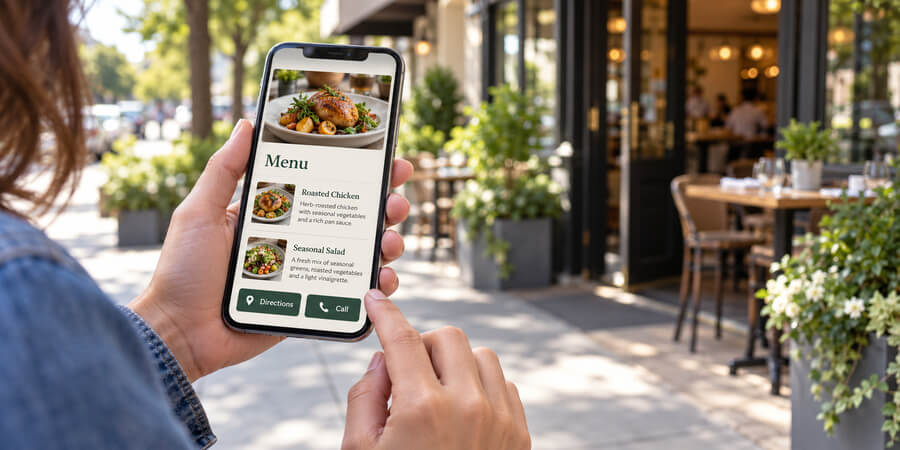
More than six in ten website visits now happen on mobile devices, and for restaurant searches the ratio skews even higher. Diners searching for "restaurants near me" while walking down a street, comparing options from the back seat of a rideshare, or looking up your hours from their couch are all on phones. If your website doesn't work flawlessly on mobile, you're losing the majority of your potential audience.
Responsive design means your website automatically adjusts its layout, navigation, and content presentation based on screen size. This is no longer a premium feature - it's the baseline expectation. Text should be readable without zooming. Buttons and links should be large enough to tap with a finger. Navigation should collapse into a clean mobile menu. Forms should use appropriate mobile input types (phone number keyboards for phone fields, email keyboards for email fields).
Page speed directly affects whether visitors stay or leave. Google research found that 53% of mobile users abandon a site that takes longer than three seconds to load. Their data also shows that as load time increases from one second to three seconds, bounce rate increases by 32%, and from one second to five seconds, bounce probability increases by 90%. Meanwhile, the HTTP Archive's 2025 Web Almanac (published January 2026) found that only 62% of mobile sites achieve "good" loading performance. For restaurant websites, where visits are often quick and intent-driven, speed isn't just a technical metric - it's a conversion metric.
Optimize for speed by compressing images before uploading them, minimizing the use of large media files, choosing a reliable hosting provider with servers geographically close to your customer base, and avoiding excessive scripts, plugins, or embedded widgets that slow page rendering. Test your site speed regularly using free tools - if pages take more than three seconds to load on a mobile connection, you have a problem that needs immediate attention.
Touch-friendly navigation is critical for mobile usability. Primary actions - viewing the menu, placing an order, making a reservation, getting directions, and calling the restaurant - should each be accessible within one or two taps from any page. Consider a sticky navigation bar or floating action buttons for these core functions so they remain visible as visitors scroll through content.
| Page Load Time: | Bounce Rate Impact: | Source: |
| 1 second to 3 seconds | +32% bounce probability | Google Research |
| 1 second to 5 seconds | +90% bounce probability | Google Research |
| 1 second to 10 seconds | +123% bounce probability | Google Research |
| Over 3 seconds on mobile | 53% of users abandon | Google Research |
| Mobile sites achieving "good" LCP | Only 62% | HTTP Archive 2025 Web Almanac |
Menu Presentation That Works Online
Your menu is the most-visited page on your restaurant's website. How you present it directly affects both customer experience and search engine visibility. The format decisions you make here have more impact on your website's effectiveness than almost any other single factor.
HTML text menus outperform PDFs in every measurable way. When your menu is coded as actual text on a webpage, search engines can read and index every item, description, and ingredient. This means a customer searching for "gluten-free pasta near me" can find your restaurant if your menu lists gluten-free pasta with that description. A PDF menu is invisible to search engines - the content exists but search crawlers cannot access it, so it generates zero search traffic.
Organize for scanning, not reading. Online visitors don't read menus the way diners at a table do. They scan quickly for the category they want (appetizers, entrees, desserts), check a few items, and make a decision. Use clear section headers, brief but evocative descriptions, and consistent formatting. If you have a large menu, consider collapsible sections that let visitors expand only the categories they're interested in.
Dietary and allergen information is increasingly expected by diners. Marking vegetarian, vegan, gluten-free, and common allergen items (nuts, dairy, shellfish) serves both customer convenience and legal prudence. This information also creates additional search visibility - dietary restriction searches are growing year over year as more consumers seek restaurants that accommodate their needs.
Photography and visual presentation significantly influence ordering behavior. A Snappr consumer study found that high-quality food photos can increase online orders by 35%, and platform data consistently shows that menu items with professional photography outperform items without images by 25% to 30%. If you invest in professional food photography, use it strategically on your menu and throughout your site. Poor-quality photos, however, do more harm than no photos at all - grainy, poorly lit, or unappetizing images actively discourage orders.
Keep your online menu synchronized with your actual offerings. Nothing frustrates customers more than arriving at a restaurant excited about a menu item they saw online only to discover it's been discontinued. Build menu updates into your operational calendar - every time you change your physical menu, update the website menu simultaneously.
Search Engine Optimization for Restaurant Websites
SEO determines whether potential customers find your website when they search for restaurants in your area. The good news for restaurant operators: local SEO is more accessible and less competitive than general SEO. You're competing with other restaurants in your geographic area, not the entire internet. The fundamentals are straightforward and produce measurable results.
Local search drives restaurant traffic. Industry research estimates that roughly four in ten local-intent searches (such as "pizza near me" or "brunch downtown") result in a click on a Google Maps local pack listing. This makes your Google Business Profile and website's local SEO signals critically important. Google determines local ranking based on relevance, distance, and prominence - and your website directly influences the relevance and prominence signals.
On-page SEO fundamentals include writing a unique, descriptive title tag for each page (under 60 characters), crafting meta descriptions that accurately describe the page content and encourage clicks (under 155 characters), using header tags (H1, H2, H3) to organize content logically, and naturally incorporating location-specific keywords throughout your site. Your homepage should clearly communicate what you are, where you are, and what you serve - both for human visitors and search engine crawlers.
Schema markup is structured data code that helps search engines understand your content. For restaurants, the most valuable schema types include Restaurant (name, address, cuisine type, hours), Menu (item names, descriptions, dietary information), and LocalBusiness (contact details, service area). Implementing schema markup can enable rich results in search - displaying your hours, rating, cuisine type, and other details directly in search results before a customer even clicks through to your website.
Connecting Your Website to Your Google Business Profile
Your website and Google Business Profile should reinforce each other. Ensure your business name, address, and phone number (NAP) are identical on both. Link your Google Business Profile to your website. If you publish menu updates, events, or blog posts on your website, reference them in your Google Business Profile posts. This consistency sends strong signals to Google about your business's legitimacy and relevance.
For a comprehensive approach to local search optimization, see our Restaurant SEO & Paid Search Guide and Restaurant Local Listings Guide.
Online Reviews and Reputation Management
Online reviews are inseparable from your website strategy. Even if reviews don't live on your website, they directly affect whether customers visit your website in the first place - and what they expect when they get there.
Reviews influence nearly every dining decision. Capital One Shopping's 2026 analysis found that 96% of consumers read online reviews of a local business before visiting, with the average consumer reading 10 reviews before trusting a business. Among adults aged 18 to 34, 91% trust online reviews as much as personal recommendations. The financial impact is quantifiable: research from Harvard Business School found that a one-star increase in rating can boost independent restaurant revenue by 5% to 9% - a finding confirmed by Capital One Shopping's 2026 data.
Your website should acknowledge and leverage reviews without being defensive or promotional. Consider embedding a curated selection of recent positive reviews on your homepage or a dedicated testimonials page. Display your aggregate rating from major review platforms. This social proof validates the visitor's decision to consider your restaurant and provides reassurance, particularly for first-time visitors who have no personal experience with your business.
Responding to reviews is a website-adjacent activity that signals professionalism. BrightLocal's 2025 survey found that 63% of consumers expect a business response within two days to a week, and consumers are significantly more likely to choose a business that responds to all feedback - positive and negative. A measured, empathetic response to a negative review can build trust more effectively than a dozen five-star ratings.
Generating reviews requires a systematic approach. BrightLocal's data also shows email is the most effective channel for requesting reviews, with 40% of consumers most likely to respond to an email request. Include review platform links on your website and in post-visit communications. The key is making it easy and natural for satisfied customers to share their experience without incentivizing specific ratings, which violates most platform policies.
Website Accessibility and Legal Compliance
Website accessibility isn't just good practice - it's increasingly a legal requirement. The Americans with Disabilities Act applies to restaurant websites, and enforcement is accelerating. Beyond compliance, accessible websites are simply better websites - they're easier to navigate, work better on all devices, and serve a wider customer base.
ADA website lawsuits are rising sharply. According to EcomBack's 2025 mid-year report, 2,014 ADA website accessibility lawsuits were filed in the first half of 2025 alone - a 37% increase over the same period in 2024. UsableNet's year-end report confirmed more than 5,000 digital accessibility lawsuits were filed in 2025 total. Notably, restaurants and food-and-beverage businesses were the most-targeted industry, accounting for over 30% of all filings. Any restaurant with a website is potentially exposed.
Core accessibility standards follow the Web Content Accessibility Guidelines (WCAG). For restaurant websites, the most relevant requirements include providing alt text for all images, ensuring sufficient color contrast between text and background, making all functionality accessible via keyboard navigation, providing captions for video content, and ensuring forms and interactive elements are properly labeled.
Practical accessibility improvements benefit all users: clear navigation, descriptive link text (instead of "click here"), readable font sizes (minimum 16 pixels for body text), and logical page structure using proper heading hierarchy. These are usability best practices that make your website easier to use for everyone.
Integrating Online Ordering Into Your Website
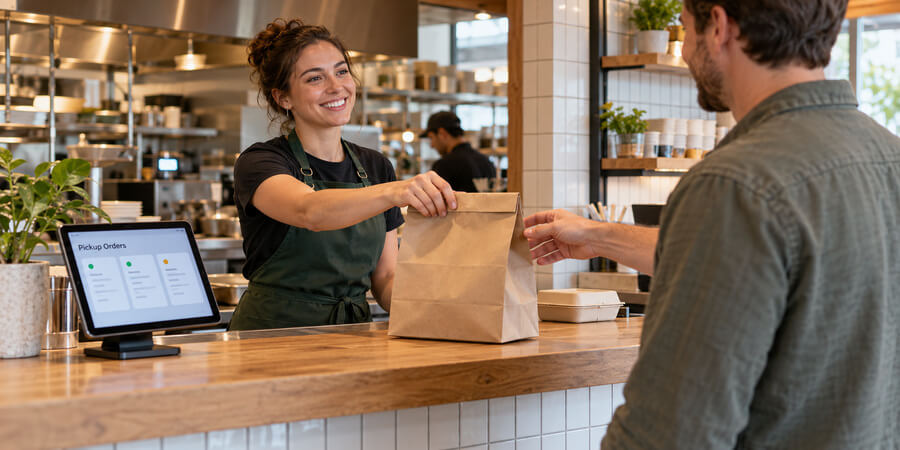
Online ordering is no longer a supplemental channel - it's a core revenue stream that your website should actively support. The global online food delivery market is projected to grow at a compound annual rate exceeding 15% through 2030 according to Mordor Intelligence, and the U.S. market alone is expected to more than double from its current size by 2034 according to IMARC Group. The question isn't whether to offer online ordering but how to structure it for maximum profitability.
First-party ordering through your own website eliminates the 15% to 30% commission fees charged by third-party platforms and gives you direct access to customer data - email addresses, order history, preferences, and frequency. This data feeds your marketing efforts, loyalty programs, and menu optimization. Research from Square's Future of Restaurants report found that 67% of consumers prefer ordering directly from a restaurant's website or app rather than through third-party platforms when given the option.
Integration with your existing systems is non-negotiable. Online orders should flow directly into your point-of-sale system and kitchen display without manual re-entry. Disconnected ordering creates delays, increases errors, and makes it impossible to manage kitchen capacity across dine-in and digital channels simultaneously. Before selecting any online ordering platform, confirm it integrates with your current POS. For guidance on technology integration, see our Restaurant Technology Guide.
Optimize the ordering experience for conversion: streamlined checkout with minimal steps, guest checkout options (don't require account creation), clear delivery zones and estimated times, multiple payment options, and order confirmation with tracking. Every unnecessary step in the ordering flow costs you completed orders.
Email Capture and Customer Retention
Your website is your most effective tool for building a direct communication channel with customers. Unlike social media followers who may never see your posts due to algorithm changes, email subscribers receive your messages directly. Industry benchmarks from the Data & Marketing Association consistently show email marketing generating one of the highest returns on investment of any channel - averaging a 36-to-1 return ratio across industries.
Build your email list through your website by offering clear value in exchange for signup. This might include access to exclusive menu previews, a complimentary item on their first visit, advance notice of events or specials, or simply a weekly newsletter with updates. Place email signup prominently on your website - in the header, footer, or as a tasteful popup after a visitor has been browsing for a reasonable period. Avoid aggressive popups that appear immediately and obstruct the content visitors came for.
Segment and personalize once you have subscriber data. A customer who orders delivery weekly has different interests than someone who dines in monthly for special occasions. Use ordering and reservation data to send relevant communications rather than blasting identical messages to your entire list. Email open rates vary by industry, with Mailchimp's benchmarks showing an all-industry average of 35.63% - though personalized messages consistently outperform generic blasts regardless of industry.
Connect email to your other systems. Your email platform should integrate with your reservation system, online ordering platform, and loyalty program to trigger automated communications: a thank-you email after a first visit, a re-engagement offer when a regular customer hasn't ordered in 30 days, or a birthday promotion based on profile data. For detailed email marketing strategies, see our Restaurant Email Marketing Guide.
Measuring Website Performance
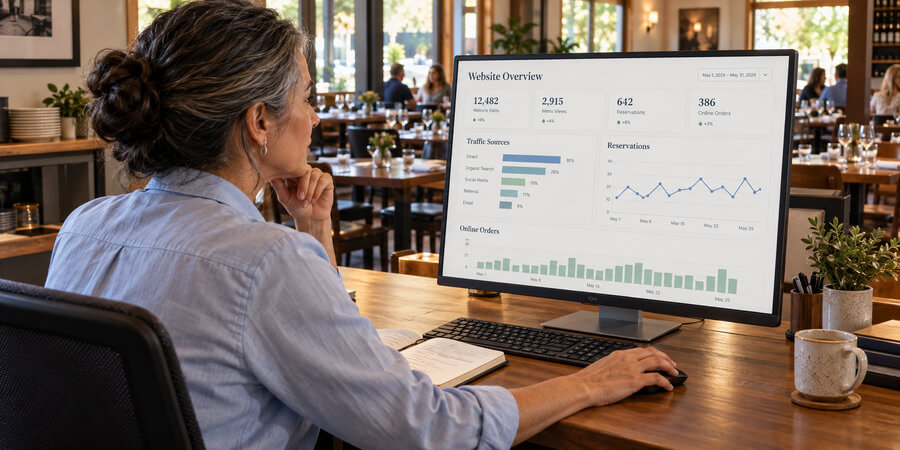
A website without analytics is a marketing channel running blind. You need data to understand what's working, what's not, and where to invest your time and resources. The good news: basic analytics tools are free and provide more than enough insight for most restaurant operators.
Core metrics to track include total visitors (overall traffic volume), traffic sources (how visitors find you - search, social, direct, referral), most-visited pages (confirms menu and ordering pages are working), bounce rate (percentage of visitors who leave after viewing only one page), average session duration (how long visitors spend on your site), and conversion actions (online orders placed, reservations made, directions requested, phone calls initiated). Track these monthly at minimum, and compare trends over time rather than fixating on any single day's data.
Set up conversion tracking for actions that matter to your business. Every online order, reservation, direction request, and phone call from your website represents a customer moving toward spending money with you. Configure your analytics to track these events so you can calculate your website's actual contribution to revenue - not just traffic volume.
Monitor page speed regularly. Test your site speed monthly from both desktop and mobile, and address any degradation immediately. Common speed killers include unoptimized images added over time, accumulated plugins or widgets, expired SSL certificates, and hosting performance degradation.
| Website Metric: | What It Reveals: | Action Threshold: |
| Bounce rate | Visitors leaving without interacting | Over 60% signals content or speed issues |
| Mobile traffic share | Device preference of your audience | Under 50% suggests mobile experience problems |
| Menu page views | Demand for menu information | Should be your most-visited page |
| Average session duration | Engagement depth | Under 1 minute suggests content gaps |
| Order/reservation conversions | Revenue contribution | Track monthly for trend analysis |
Common Website Mistakes Restaurants Make
Understanding where other operators stumble helps you avoid the same problems. These mistakes are consistently the most damaging and most common.
Treating the website as a one-time project. Your website needs regular maintenance just like your kitchen equipment. Menus change, hours shift, and seasonal promotions come and go. Build website updates into your weekly operational routine and assign a specific staff member responsibility for keeping the site current. An outdated website actively misleads customers.
Burying essential information. If a visitor can't find your hours, menu, and location within five seconds, your design has failed. These three pieces of information account for the vast majority of restaurant website visits. Don't make visitors scroll through mission statements and philosophy to find what they came for.
Using PDF menus instead of HTML text. This mistake costs you search visibility, mobile usability, and customer convenience simultaneously. Every menu item in a PDF is invisible to search engines. Every customer who pinches and zooms a PDF on their phone has a worse experience than one reading a properly formatted web menu. There is no legitimate reason to use PDF menus on a modern restaurant website.
Neglecting page speed. Adding high-resolution images, embedded videos, social media widgets, and third-party scripts without considering their impact on load time creates a slow website that drives visitors away. Every element on your site should earn its place by adding genuine value that outweighs its performance cost.
Ignoring mobile experience. Reviewing your website only on a desktop computer means you've never seen what the majority of visitors experience. Test your site on multiple phones regularly. Place an order on your own mobile site. Try to make a reservation. If any of these actions are frustrating, fix them immediately - your customers encounter the same friction and choose competitors instead.
Frequently Asked Questions
Do I need a custom-built website, or will a website builder platform work?
For most restaurants, a website builder platform provides everything you need at a fraction of the cost and complexity of custom development. The key factors are mobile responsiveness, speed, SEO capabilities, and integration with your ordering and reservation systems. Choose a platform that supports these requirements. Custom development makes sense only for large multi-location operations with unique functionality requirements.
How often should I update my restaurant website?
At minimum, update your website whenever your menu, hours, or contact information changes. Beyond that, adding fresh content monthly (blog posts, event announcements, seasonal updates) helps with search engine ranking. Build website updates into your weekly operational checklist rather than treating them as occasional projects.
Should I include pricing on my online menu?
This depends on your concept and how frequently prices change. If prices are stable and you can commit to keeping them current, including them adds transparency. If prices change seasonally or frequently, displaying outdated prices creates customer frustration. Many restaurants successfully present menus without pricing on their website, reserving pricing for the in-restaurant experience.
How important is blog content for a restaurant website?
Blog content supports SEO by giving search engines fresh, relevant content to index. Topics like seasonal menu spotlights, chef interviews, sourcing stories, neighborhood guides, and cooking tips can attract search traffic and build brand personality. However, an abandoned blog with one post from two years ago is worse than no blog at all. Only commit to blogging if you can sustain at least one post per month.
What's the most important page on my restaurant website?
Your menu page. Analytics consistently show that the menu is the most-visited page on restaurant websites. Invest the most time in making it clear, searchable, mobile-friendly, and current. If you can only optimize one page, make it the menu.
How do I improve my restaurant's position in Google search results?
Start with the fundamentals: claim and optimize your Google Business Profile, ensure your website has accurate NAP (name, address, phone) information, implement schema markup for your restaurant type, build quality backlinks from local directories and food publications, publish original content regularly, and ensure your site loads quickly on mobile devices. Local SEO is a sustained effort, not a one-time setup. See our Restaurant SEO & Paid Search Guide for detailed strategies.
Should I embed third-party ordering platforms on my site or link to them?
Embedding ordering directly into your site provides a seamless experience and keeps customers on your domain. Linking to external platforms introduces friction and risks losing customers during the transition. If you use third-party platforms, prioritize those that offer white-label embedding options so the customer experience feels native to your website.
How do I handle multiple locations on one website?
Create a dedicated page for each location with unique content - specific address, hours, menu variations, staff highlights, and local reviews. This approach serves both customers (who can find location-specific information) and search engines (which can rank each location page for its geographic area). Avoid duplicating identical content across location pages - each should contain genuinely unique information.
What's the minimum a restaurant website needs to be effective?
At minimum: current menu in HTML text format, accurate hours, address with embedded map, phone number, and mobile-responsive design. Add online ordering or reservation functionality if your concept supports it. This baseline covers what 90% of visitors are looking for. Build from there as resources allow.
How much should I invest in food photography for my website?
Professional food photography has a measurable impact - platform data and consumer studies show quality photos can increase online orders by 25% to 35%. However, mediocre photography does more harm than no photography at all. If budget is limited, invest in a single professional session covering your signature dishes rather than attempting to photograph everything with a phone. Update photos whenever you significantly change your menu.
Related Resources
- Restaurant Marketing Guide - Build a comprehensive marketing strategy that drives traffic to your website and converts visitors into customers
- Restaurant SEO & Paid Search Guide - Detailed strategies for improving your search visibility and running effective paid campaigns
- Restaurant Local Listings Guide - Optimize your presence across listing platforms to reinforce your website's local SEO signals
- Restaurant Technology Guide - Evaluate POS, ordering, and other technology systems that integrate with your website
- Restaurant Email Marketing Guide - Turn website visitors into email subscribers and build campaigns that drive repeat business
- Restaurant Business Plan Guide - Include website development and digital strategy in your business plan from day one
Share This!